The organisation
Purpose
Section titled “Purpose”The installation should look and speak like your association: name, logo, colours, languages, sender, fixed links, terms and the association’s master data.
Before you start
Section titled “Before you start”- You have the permission
app_settings.manage(administrators have it). - Have the logo ready: PNG, SVG or WebP, at most 2 MB — ideally one version for light and one for dark backgrounds.
- A new installation starts neutral (“Your association”, the theme Light and simple, Danish and English). The page shows a notice until you have saved.
Go to System → Organisation. The page has seven tabs; each tab is saved on its own.
Identity
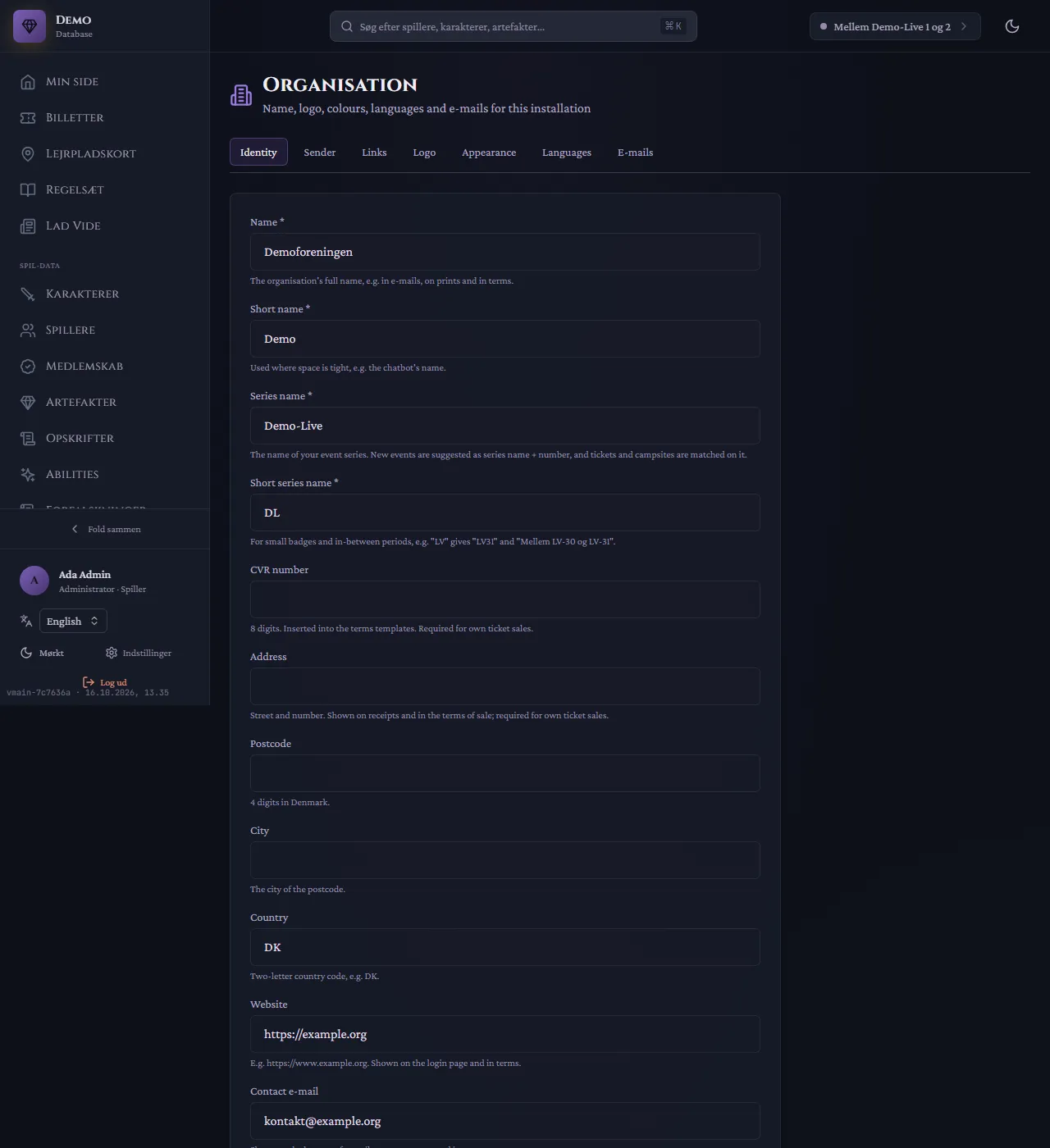
Section titled “Identity”- Name, Short name: the association’s full and short name (e-mails, print, terms, the chatbot’s name).
- Series name, Short series name: the name of the event series. New events are suggested as series name + number, and tickets and campsites are matched on it.
- CVR number (8 digits) and address (street, postcode, city, country): shown on receipts and in the terms of sale. Required to sell your own tickets.
- Website and Contact e-mail: shown on the login page, at the bottom of e-mails, on error pages and in terms.
- Texts per language: the app’s name, the page title and the signature in e-mails.
Sender
Section titled “Sender”Sender name and sender address — what the recipient sees in the inbox. The mail server itself is set up by us (see Integrations). The address must be allowed by your mail provider.
Fixed links the system shows players: Become a member, Manage membership, Buy ticket and where people are sent after logging out. Empty fields mean no button.
Upload a logo for light and one for dark backgrounds. The server makes its own versions for e-mails, print and app icons.
Appearance
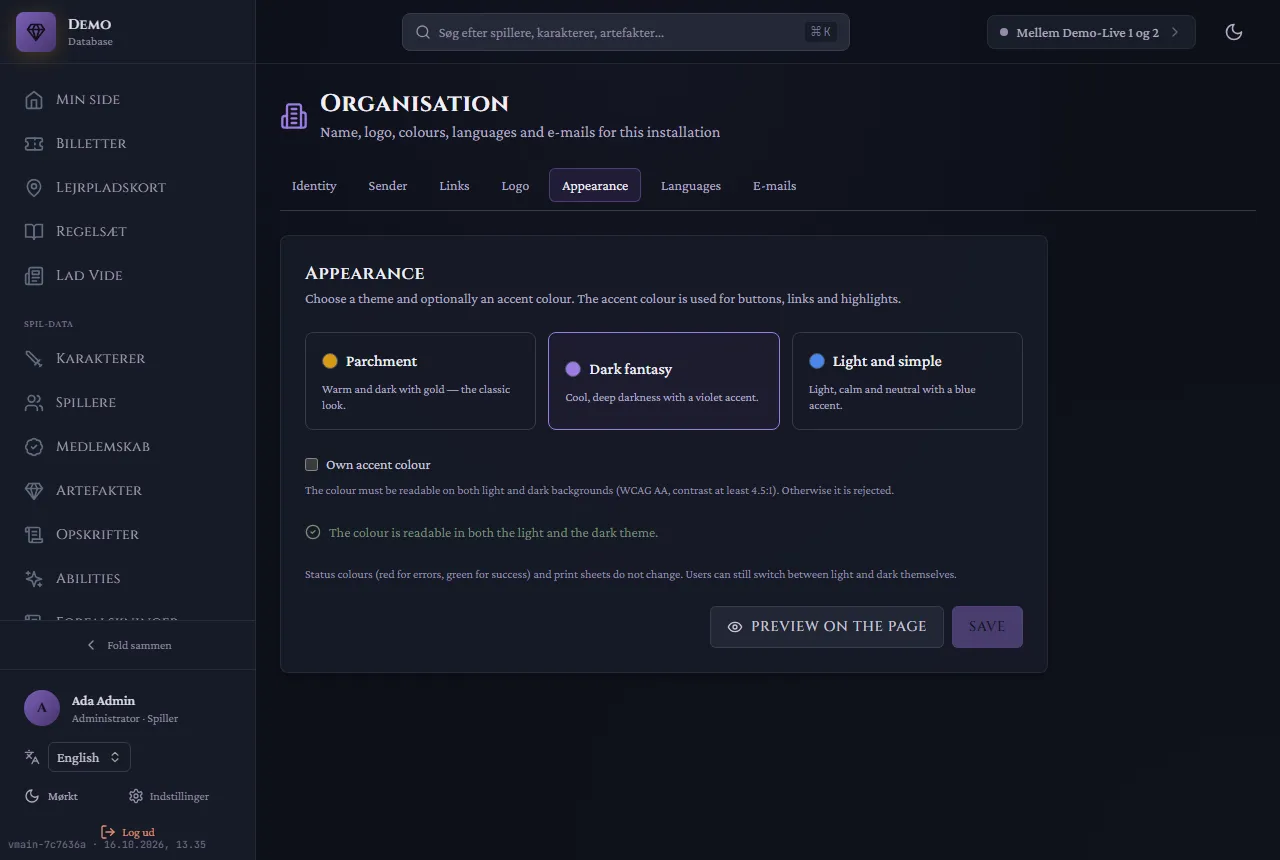
Section titled “Appearance”Choose one of the themes Parchment, Dark fantasy or Light and simple, and optionally your own accent colour. The colour must be readable on both light and dark backgrounds (contrast at least 4.5:1); otherwise it is rejected. Preview on the page shows the result before you save.
Languages
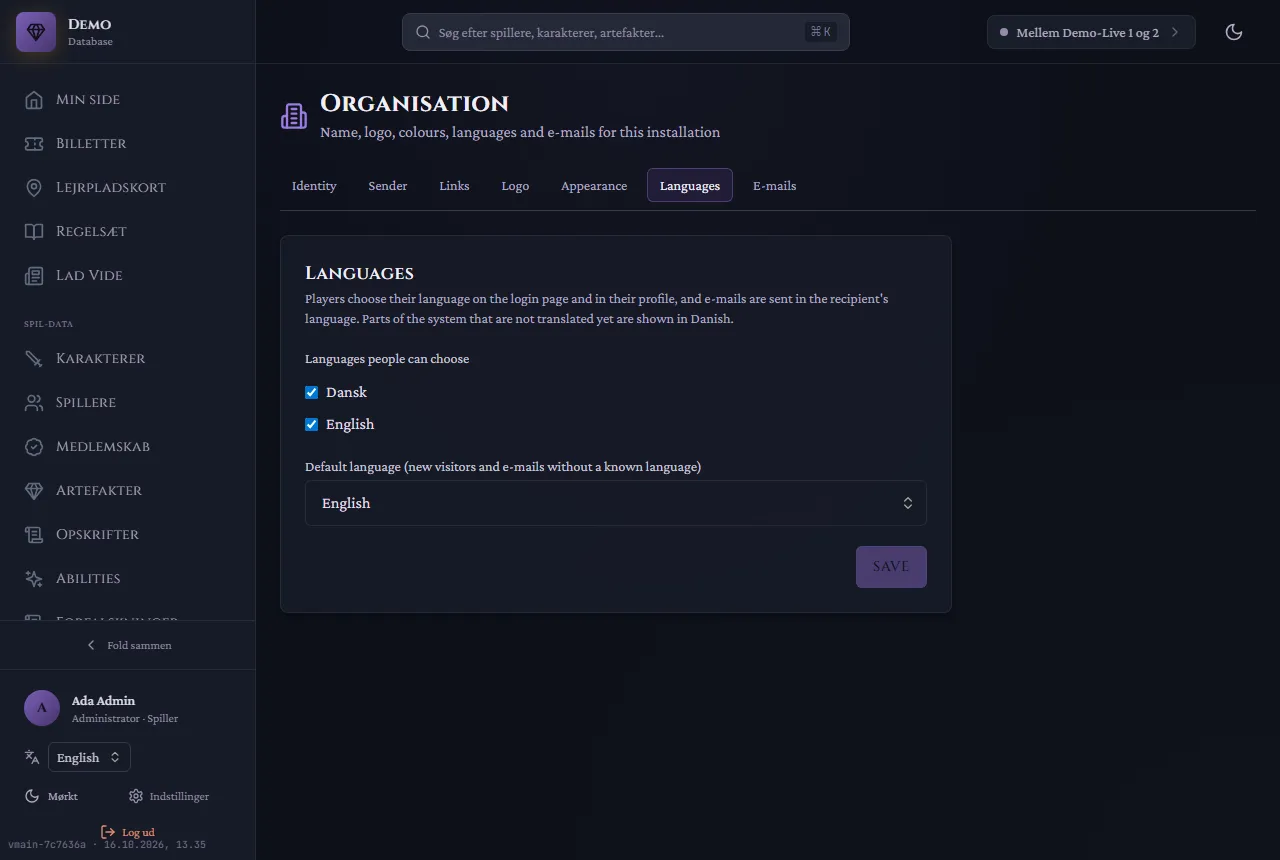
Section titled “Languages”Choose which languages players can pick, and which is the default for new visitors and for e-mails to recipients without a known language. Players choose their own language on the login page and in their profile; e-mails are sent in the recipient’s language.
E-mails
Section titled “E-mails”Change the subject and text of each of the system’s e-mails, per language. All e-mails use the shared letterhead with your logo, colours and signature. Send test e-mail only goes to yourself and the organisation’s own addresses.
The game’s words — for example EP, Ability, Coin — are not changed here but under Game world → Terms (Spilverden → Begreber). The change takes effect everywhere: on the character sheet, in the portal, in print and in e-mails.
Common mistakes
Section titled “Common mistakes”- “Invalid colour” or the colour is rejected. Use the form
#rrggbband choose a colour with enough contrast. - The logo is too large. At most 2 MB; save it as WebP or SVG.
- Your own tickets cannot be opened for sale. Name, full address and CVR number are missing under Identity.
- E-mails come from the wrong sender. Sender name and address under Sender win over the default; empty fields fall back to the installation’s default.
- Some parts are still in Danish in English. Parts of the system are not translated yet; they are shown in Danish.
Related pages
Section titled “Related pages”- Modules
- Templates
- Personal data (terms and privacy policy)